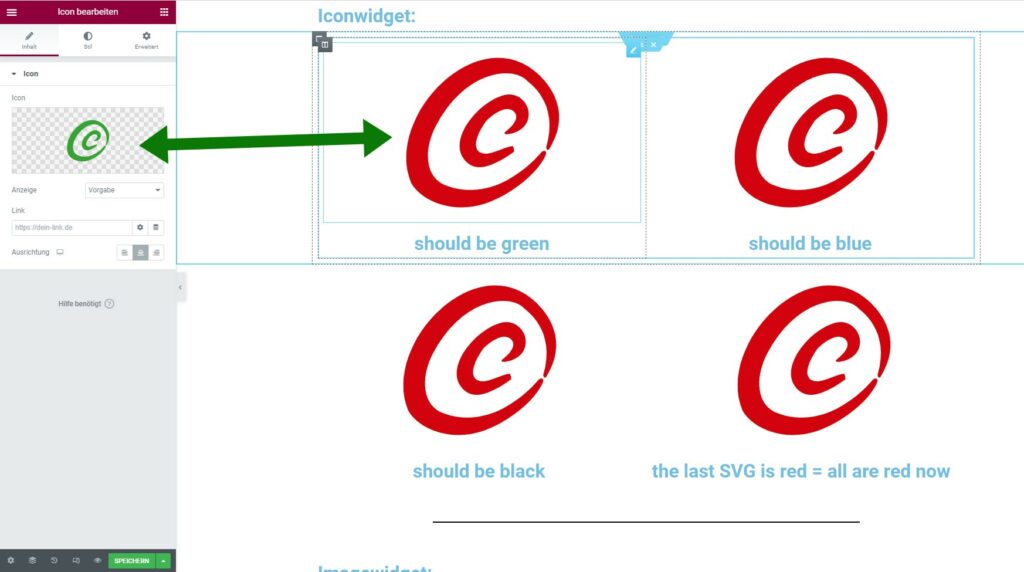
The left icon in the header is an icon in the iconwidget. The right one is a SVG in an imagewidget (original color is green) and it keeps its color.
The logo icon (originaly blue) changes its color depending what icon color one has on the page (see Sample Page)!
If one does have more SVG-icons on one page with different colors than all previous placed icons will take the color of the last one added! Even the color of the logo icon in the header changes its color – even if the header is programed as a different template!!
For this WordPressinstalation:
there is nothing but the Hello Theme, Elementor (free), the Master Addons by Jewel Theme and php 8 – that´s all!
Iconwidget:
should be green
should be blue
should be black
the last SVG is red = all are red now
for the Iconwidget:
when I do have more than one SVGs (in different colors) on the page – all SVGs take the color of the last one I put on the page!!?????
In the icon preview one can see the real colors (here it is green).
Do I do something wrong or do I not understand the logic behind it?
Further more the icons can only be enlarged from 0px to max. 300px even if the original SVG is larger (here 600px x 600px)!
Imagewidget:
For the Imagewidget with SVGs:
when I put the SVGs in the imagewidget I do have to show them in original size otherwise they disappear when I click somewhere else!
With the imagewidget it is possible to show the SVGs in a bigger size (here 600px x 600px) than 300 px like in the iconwidget.